On this page (9)
The best crypto wallet in Kenya is usually not one wallet but two. You need somewhere to trade — an exchange account that connects to M-Pesa through P2P — and somewhere to keep coins that only you control. Get that split right and most of the frightening stories (frozen accounts, hacked phones, lost coins) stop applying to you.
Custodial vs non-custodial in plain English
A Custodial walletThe company holds the keys for you, like a bank. Easy to recover with a password reset, but the company can freeze it. Glossary is the balance you see inside Binance, Bybit, OKX or any exchange app. The exchange holds the Private keyThe secret number that signs transactions from a wallet address. The seed phrase is a human-readable way to back it up. Glossary; you hold a login. It is like money in a bank: you can reset a forgotten password, but the bank can also freeze the account if it — or the DCI — has questions.
A Non-custodial walletOnly you hold the keys, for example Trust Wallet or MetaMask. Nobody can freeze it — and nobody can recover it if you lose the seed phrase. Glossary is an app (or device) that creates keys on your phone and shows them to you once as a list of 12 or 24 words. No company can freeze it, reverse a payment or reset it. That is real ownership — and real responsibility.
My coins are inside the Trust Wallet app.
Coins never live in an app. They live on a blockchain, and the app holds the keys that can move them. Delete the app, lose the phone or drop it in Lake Victoria: as long as you have your seed phrase, you can restore the same wallet on a new phone in minutes. Lose the phrase and the phone, and the coins are gone for good.
Comparison
Here is how the main wallet types compare for Kenyan users. Fees and features change; check the provider’s own pages before you rely on a number.
| Wallet | Who holds keys | USDT networks | What it costs | Best for |
|---|---|---|---|---|
| Exchange wallet (Binance, Bybit, OKX) | The exchange | TRC20, BEP20, ERC20 and more | Withdrawal fee set by the exchange | Buying and selling via M-Pesa P2P |
| Trust Wallet | You | TRON, BNB Chain, Ethereum and 100+ chains | Network fees only on sends | Holding USDT TRC20 cheaply on a phone |
| MetaMask | You | BNB Chain, Ethereum, other EVM chains; TRON added Jan 2026 | Network fees; 0.875% on in-app swaps | BEP20, DeFi apps, browser use |
| Phantom and other Solana-first wallets | You | Solana | Network fees | Solana tokens |
| Hardware (Ledger, Trezor) | You, on an offline device | Depends on the model and companion app | Device from US$59 (Trezor Safe 3) | Long-term savings |
If you are just starting, do not overthink it. Begin with the exchange you buy on, then install Trust Wallet when you first hold more than you would carry in cash.
Setup step by step
Every non-custodial wallet follows the same pattern. Our individual guides show the exact screens; here is the shape of it.
- Download from the official source only
Use the Google Play Store or Apple App Store and check the developer name. Fake wallet apps and lookalike websites are the most common way Kenyans lose coins before they have even started.
- Create a new wallet and write down the words
The app shows your seed phrase once. Write it on paper in order, offline. Never screenshot it, email it to yourself or save it in WhatsApp “Message yourself”.
- Confirm the backup and set a strong lock
The app asks you to re-enter some words. Then set a passcode or biometric lock that is not your M-Pesa PIN.
- Send a small test amount
Send a few dollars of USDT from your exchange to the new wallet on the right network, check it arrived, then send it back. Only then move larger amounts.
Backing up the seed phrase
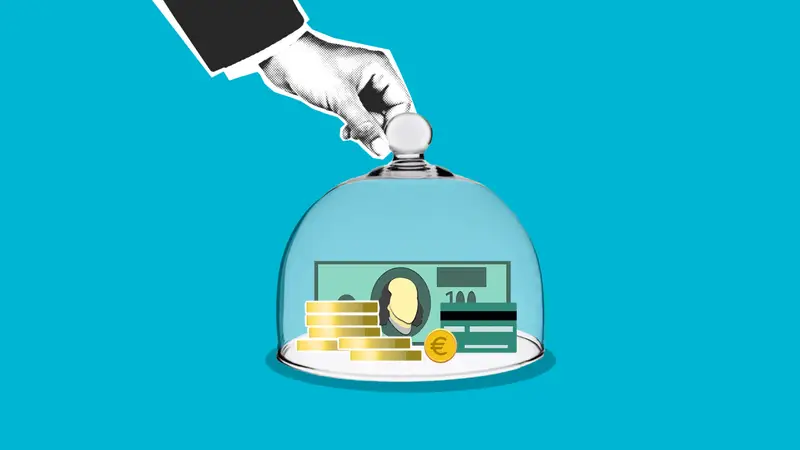
An elephant never forgets, but phones do — they get stolen in matatus, fall into pit latrines and die after a rainy season in a leaking pocket. The backup is what makes a non-custodial wallet safe. Think about the real risks in a Kenyan home.
- Fire. Paper burns with a jiko or paraffin accident. A steel backup plate (letters stamped or engraved) survives house fires far better.
- Floods and damp. Long rains, leaking iron roofs and flooding in low-lying estates destroy paper. Use a sealed bag at minimum, or steel.
- Theft and curious visitors. Do not label it “crypto”. Keep it with other important documents, not on the fridge.
- Two locations. One copy at home and one with a person or place you trust — a relative upcountry, a lockable box at a lawyer’s office.
- Inheritance. Your family needs to know the wallet exists. Leave written instructions with your will saying which wallets you use and where the backup is — not the words themselves in an envelope that many people can open.
Some wallets offer encrypted cloud backups. Trust Wallet, for example, can save an encrypted backup to Google Drive or iCloud protected by a password you choose, and it recommends keeping a written copy as well. That helps if you lose your phone; it does not replace an offline backup.
Fees and networks
USDT exists on several blockchains. The network you pick decides the fee and which coin pays the Gas / network feeThe fee paid to the blockchain (not to the exchange) to process a transfer. It changes with network congestion. Glossary. Sender and receiver must use the same network, or the coins can be lost.
| Network | Gas paid in | Typical cost to send USDT | Watch out for |
|---|---|---|---|
| TRC20The token standard on the TRON blockchain. USDT-TRC20 is popular in Kenya because transfers are cheap and fast, but you need a little TRX for fees. Glossary (TRON) | TRX | A few TRX; higher if the address has never held USDT | Keep some TRX in the wallet |
| BEP20The token standard on BNB Smart Chain. Fees are paid in BNB and are usually a few US cents. Glossary (BNB Smart Chain) | BNB | Usually a few US cents | Keep a little BNB for gas |
| ERC20The token standard on Ethereum. The most widely supported, and usually the most expensive network for sending USDT. Glossary (Ethereum) | ETH | Can be several US dollars | Too expensive for small amounts |
After a TRON network change in August 2025, third-party estimates put a USDT TRC20 transfer at roughly 6.5 TRX to an address that already holds USDT, and about twice that to a brand-new address. Network costs move with demand and protocol changes, so check the fee your wallet shows before you confirm. Our TRON and TRC20 guide and BNB guide go deeper.
Need USDT to put in your wallet?
Buy on a verified exchange, then withdraw to your own wallet on TRC20 or BEP20.
Getting money to M-Pesa
“Which wallet makes M-Pesa cash-out easiest?” is really a question about P2P access, not about the wallet. Every route looks like this:
- Send from your wallet to your exchange
Copy your exchange’s USDT deposit address for the network you will use (for example TRC20) and send from Trust Wallet, MetaMask or your hardware wallet.
- Sell on P2P for KES
Open P2P, choose Sell → USDT → KES → M-Pesa and pick a verified buyer. The buyer sends M-Pesa to your line; you release the USDT from P2P escrowThe platform locks the seller's coins while you pay. Coins are released only when the seller confirms your M-Pesa payment arrived. Glossary once the money is in your balance.
- Check your M-Pesa balance, not the SMS
Fake confirmation messages are the most common trick on the selling side. Open the M-Pesa app and confirm the balance before you release.
The wallet matters only in one way: it should support the network your exchange’s P2P side uses cheaply, which in Kenya usually means TRC20 or BEP20. Full walk-throughs: crypto to M-Pesa, Binance to M-Pesa and P2P in Kenya.
Security mistakes
Most wallet losses in Kenya are not clever hacks. They are the same few mistakes, repeated.
- Typing the seed phrase into a website, a 'validator' form or a Telegram bot.
- Downloading a wallet from a link in a WhatsApp group instead of the official store.
- Trusting 'support' that messages you first — real support never asks for your phrase.
- Sending USDT on the wrong network, e.g. ERC20 to a TRC20-only address.
- Keeping the only backup in the phone's photo gallery or cloud notes.
- Leaving large savings on an exchange 'for convenience' for months.
- Approving unknown token contracts in a dApp, which can let a drainer move your tokens later.
- Using the same PIN for your phone, M-Pesa and wallet — a SIM swap plus a shoulder-surfed PIN is enough.
Which wallet for which kind of user
Still unsure? Match yourself to the closest profile below. These are starting points, not rules.
The weekly P2P trader in Eastleigh or Kisumu. You buy and sell USDT for KES several times a week. Keep your working balance on the exchange where you trade, because every move to a private wallet costs a network fee and time. Move anything you are not trading this month to Trust Wallet on TRC20.
The freelancer paid in USDT. Clients pay you from abroad and you cash out monthly for rent and school fees. Give clients a Trust Wallet or MetaMask address on a cheap network rather than your exchange deposit address, so a frozen exchange account cannot trap your income. Our guide to receiving USDT payments covers invoices and records.
The long-term saver. You buy a little Bitcoin every month and do not plan to sell for years. Start with a phone wallet and a steel backup; once the balance is more than a few months’ income, move it to a hardware wallet and leave the phone wallet for small amounts.
The DeFi and NFT explorer. You use apps on BNB Smart Chain or Ethereum. MetaMask is the natural fit, but use a separate “hot” account for experiments and keep savings in another wallet you never connect to unknown sites.
The chama treasurer. A group’s money should not sit in one person’s phone wallet. If your chama holds crypto, use an exchange account in the group’s or treasurer’s verified name with clear minutes, or a hardware wallet with documented access rules agreed by members.
Our wallet guides
Pick the guide that matches what you use, or plan to use, next.
Trust Wallet for Kenyans: setup, backing up the seed phrase, USDT on TRC20 and BEP20, network fees and how to get your money to M-Pesa.
Read guide →
MetaMask explained for Kenyan users: setup on mobile, adding BNB Chain, sending USDT cheaply, avoiding fake MetaMask sites and cashing out to M-Pesa.
Read guide →
Where to buy a Ledger or Trezor in Kenya, import duty and shipping, how to spot tampered devices, setup steps and who actually needs a cold wallet.
Read guide →Before moving larger sums, it is worth reading how crypto scams in Kenya target wallet owners, and what the VASP Act means for the exchanges you still rely on.
Set up your trading account first
An exchange account with P2P is your bridge between M-Pesa and any wallet. Verify once, then keep your savings in your own wallet.