On this page (6)
M-Pesa charges look small until you add them up. KSh 57 to send KSh 5,000 is 1.1% — more than many crypto exchanges charge for a whole trade. This page gives you the official Safaricom charges for sending, agent and ATM withdrawals, a calculator for any amount, and a second calculator that shows what a P2P tradingPeer-to-peer: you buy crypto directly from another person and pay them via M-Pesa or bank; the platform only holds the coins in escrow. Glossary crypto purchase really costs once the M-Pesa fee and the seller’s markup are included.
M-Pesa charges calculator
Pick what you are doing, type the amount and the calculator shows Safaricom’s charge, what share of the amount it is, and the total leaving your account. The figures come from Safaricom’s consumer tariff page, last updated by Safaricom on 4 August 2026; always confirm the charge your phone shows before entering your PIN.
M-Pesa charges calculator
Official Safaricom consumer tariffs. Pick what you are doing and type the amount.
- Cost as % of amount
- —
- Total leaving your M-Pesa
- —
Limits: KSh 250,000 per transaction, KSh 500,000 per day, KSh 500,000 maximum balance. Deposits are free. Tariffs from Safaricom; always confirm the charge shown on your phone before entering your PIN.
| Amount (KES) | Send to M-Pesa user | Withdraw at agent |
|---|---|---|
| 1 – 49 | Free | Not available |
| 50 – 100 | Free | KSh 11 |
| 101 – 500 | KSh 7 | KSh 29 |
| 501 – 1,000 | KSh 13 | KSh 29 |
| 1,001 – 1,500 | KSh 23 | KSh 29 |
| 1,501 – 2,500 | KSh 33 | KSh 29 |
| 2,501 – 3,500 | KSh 53 | KSh 52 |
| 3,501 – 5,000 | KSh 57 | KSh 69 |
| 5,001 – 7,500 | KSh 78 | KSh 87 |
| 7,501 – 10,000 | KSh 90 | KSh 115 |
| 10,001 – 15,000 | KSh 100 | KSh 167 |
| 15,001 – 20,000 | KSh 105 | KSh 185 |
| 20,001 – 35,000 | KSh 108 | KSh 197 |
| 35,001 – 50,000 | KSh 108 | KSh 278 |
| 50,001 – 250,000 | KSh 108 | KSh 309 |
The table under the calculator is Safaricom’s full consumer tariff for sending to another M-Pesa user and withdrawing at an agent. Sending to a registered user on another network, such as Airtel Money, costs exactly the same as sending to M-Pesa.
Full M-Pesa tariff table
The send and agent tariffs are above. Here are the amounts people ask about most, followed by ATM withdrawals and the transactions that cost nothing.
| Amount | Send to M-Pesa user | Withdraw at agent | Withdraw at ATM |
|---|---|---|---|
| KSh 1,000 | KSh 13 | KSh 29 | KSh 35 |
| KSh 2,000 | KSh 33 | KSh 29 | KSh 35 |
| KSh 5,000 | KSh 57 | KSh 69 | KSh 69 |
| KSh 10,000 | KSh 90 | KSh 115 | KSh 115 |
| KSh 20,000 | KSh 105 | KSh 185 | KSh 203 |
| KSh 50,000 | KSh 108 | KSh 278 | Not possible (ATM max KSh 35,000) |
| KSh 100,000 | KSh 108 | KSh 309 | Not possible |
A pattern worth noticing: up to KSh 1,500, sending is cheaper than withdrawing; from KSh 3,501 upward withdrawing always costs more; and from KSh 20,001 a withdrawal costs roughly two to three times as much as sending the same amount. Cash is the expensive part of M-Pesa.
| ATM withdrawal (KES) | Charge |
|---|---|
| 200 – 2,500 | KSh 35 |
| 2,501 – 5,000 | KSh 69 |
| 5,001 – 10,000 | KSh 115 |
| 10,001 – 35,000 | KSh 203 |
At an ATM the minimum is KSh 200 and the maximum per withdrawal is KSh 35,000. Compare with the agent: KSh 2,500 costs KSh 29 at an agent but KSh 35 at an ATM, and KSh 35,000 costs KSh 197 at an agent against KSh 203 at an ATM. In fact the ATM is never cheaper than an agent: the two tariffs match in the KSh 3,501–5,000 and KSh 7,501–10,000 bands, and the agent wins everywhere else. Withdrawing KSh 5,001–7,500 costs KSh 87 at an agent but KSh 115 at an ATM.
| Free M-Pesa transactions | Charge |
|---|---|
| All deposits at an agent | Free |
| Sending KSh 1 – 100 | Free |
| Receiving money | Free |
| Buying airtime through M-Pesa | Free |
| Balance enquiry | Free |
| Changing your M-Pesa PIN | Free |
| M-Pesa registration | Free |
Paying a Lipa na M-Pesa Buy Goods till is free for the customer; the merchant pays instead (0.55% for payments of KSh 501–36,363 and KSh 200 above that, per Safaricom’s table). Paybill / Till numberSafaricom business numbers for receiving M-Pesa payments. A real company Paybill shows the registered business name before you confirm. Glossary charges depend on the business or bank you pay and are shown on your phone before you confirm.
M-Pesa limits
Two of these limits are the ones crypto sellers hit first.
- Per transaction
- KSh 250,000
- Per day
- KSh 500,000All transactions combined
- Maximum balance
- KSh 500,000
- Minimum agent withdrawal
- KSh 50
The maximum balance is the hidden trap. If you already have KSh 400,000 on M-Pesa and a P2P buyer tries to pay you KSh 150,000, the payment can fail. Move money to your bank or M-Shwari first, or sell large amounts for bank transfer — our cash-out guide explains how. The daily limit caps how much you can trade in a day through M-Pesa, which matters if you buy and sell several times, as arbitrage traders do.
What a P2P crypto trade really costs
P2P platforms advertise low or zero fees. Binance, for example, says its P2P Maker / taker feeExchanges charge less to "makers" who place orders that wait in the order book, and more to "takers" who fill existing orders instantly. Glossary fees range from 0% to 0.35% depending on the fiat market, without listing the KES rate in its guidelines. But two other costs are always there: the seller’s MarkupExtra margin added on top of the market rate by a broker or P2P seller. It is a fee even when the app says "zero fees". Glossary over the market rate, and Safaricom’s Send Money charge, which the buyer pays on top of the order amount.
Type a seller’s real price into the calculator below and it compares it with the live market rate.
P2P true-cost calculator (KES → USDT)
Compare a seller's P2P price with the market rate and see what the trade really costs once the M-Pesa charge is added.
- Market rate (mid)
- …
- Seller's premium over market
- —
- M-Pesa charge
- —
- Your effective rate
- —
- Total cost vs market
- —
Market rate loading…
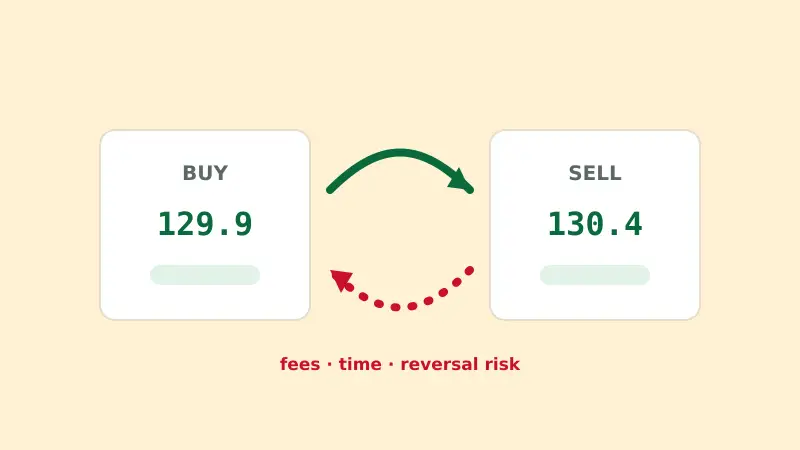
Here is a round trip in KES, with illustrative prices: buying KSh 20,000 of USDT, then later selling the same USDT and taking cash from an agent.
| Step | Example | Cost |
|---|---|---|
| Market rate | KSh 130.00 per USDT | — |
| Buy at seller’s price KSh 131.30 | 152.32 USDT for KSh 20,000 | Markup about KSh 198 |
| M-Pesa Send Money (KSh 15,001–20,000) | Paid on top | KSh 105 |
| Sell at buyer’s price KSh 129.40 | KSh 19,710 received free | Gap about KSh 91 |
| Agent withdrawal (KSh 15,001–20,000) | KSh 19,525 in hand | KSh 185 |
| Total round-trip cost | From KSh 20,105 out to KSh 19,525 back | About KSh 580 (2.9%) |
Safaricom’s share here is KSh 290 — half the total. Most Kenyans trade USDT this way because its KES ads are the most numerous. On a KSh 2,000 purchase the M-Pesa fee alone is KSh 33, or 1.65%. That is why the fee matters far more on small trades than on large ones. For the step-by-step buying flow, see buy crypto with M-Pesa; for selling, Binance to M-Pesa.
Compare before you pay a markup
Check the price of USDT on our top-ranked exchange against the P2P ads you are looking at.
Ways to pay less
The tariff has two quirks you can use: the charge stops rising at KSh 108, and it jumps at each band edge.
1. Batch small purchases. Above KSh 20,000 the send charge is flat. Compare:
| How you send KSh 50,000 | M-Pesa charges | Share of amount |
|---|---|---|
| Ten orders of KSh 5,000 | 10 × KSh 57 = KSh 570 | 1.14% |
| Five orders of KSh 10,000 | 5 × KSh 90 = KSh 450 | 0.90% |
| Two orders of KSh 25,000 | 2 × KSh 108 = KSh 216 | 0.43% |
| One order of KSh 50,000 | KSh 108 | 0.22% |
If you buy KSh 5,000 of USDT every week, buying KSh 20,000 once a month instead costs KSh 105 rather than 4 × KSh 57 = KSh 228 — a saving of KSh 123 a month on fees alone. The same logic goes further: one KSh 250,000 transfer costs KSh 108, just 0.04%.
2. Stay just under a band edge. The jumps are bigger than they look:
- Sending KSh 2,500 costs KSh 33; sending KSh 2,501 costs KSh 53.
- Withdrawing KSh 10,000 costs KSh 115; KSh 10,001 costs KSh 167.
- Withdrawing KSh 35,000 costs KSh 197; KSh 35,001 costs KSh 278.
3. Withdraw cash less often. Agent charges keep climbing to KSh 309, but in steps. Two withdrawals of KSh 50,000 cost 2 × KSh 278 = KSh 556; one withdrawal of KSh 100,000 costs KSh 309 — if your agent has the float.
4. Keep the shillings digital. If you are going to pay rent, school fees or a Paybill anyway, do it from M-Pesa directly and skip the withdrawal charge entirely.
Splitting a big payment into small ones is cheaper.
It is the opposite. Because the send charge is capped at KSh 108 from KSh 20,001 upwards, one large transfer almost always costs less than several small ones. Splitting only makes sense when an ad’s maximum or Safaricom’s KSh 250,000 per-transaction limit forces it.
Bank and Pochi routes
Bank transfers. Many P2P ads accept payment to Equity, Co-op Bank, I&M or other banks, and M-Pesa ads often use an “M-Pesa Paybill” that lands in the seller’s bank account. Charges for M-Pesa to bank (via Paybill) and bank to M-Pesa are set by the bank and shown before you confirm; Safaricom’s consumer tariff page does not list a fixed customer charge for them. For large trades, a bank transfer avoids M-Pesa’s limits altogether — see crypto-friendly banks in Kenya.
Pochi la Biashara. Some Bybit and Bitget sellers list Pochi la Biashara as a payment method on their P2P escrowThe platform locks the seller's coins while you pay. Coins are released only when the seller confirms your M-Pesa payment arrived. Glossary-backed ads. Safaricom’s tariff page lists a separate customer tariff for paying Pochi la Biashara merchants, marked as applying for three months from 1 August 2026:
| Paying Pochi la Biashara (KES) | Customer charge |
|---|---|
| 0 – 200 | Free |
| 201 – 500 | KSh 7 |
| 501 – 1,000 | KSh 13 |
| 1,001 – 1,500 | KSh 23 |
| 1,501 – 2,500 | KSh 33 |
| 2,501 – 250,000 | KSh 50 |
Above KSh 2,500 that is cheaper than Send Money — KSh 50 instead of KSh 53–108. But the three-month period it mentions had passed when we last checked, while the page still showed it, so confirm the charge on your phone before relying on it. On a P2P trade, also check that the name displayed for the Pochi matches the seller’s verified name.